Task Portal
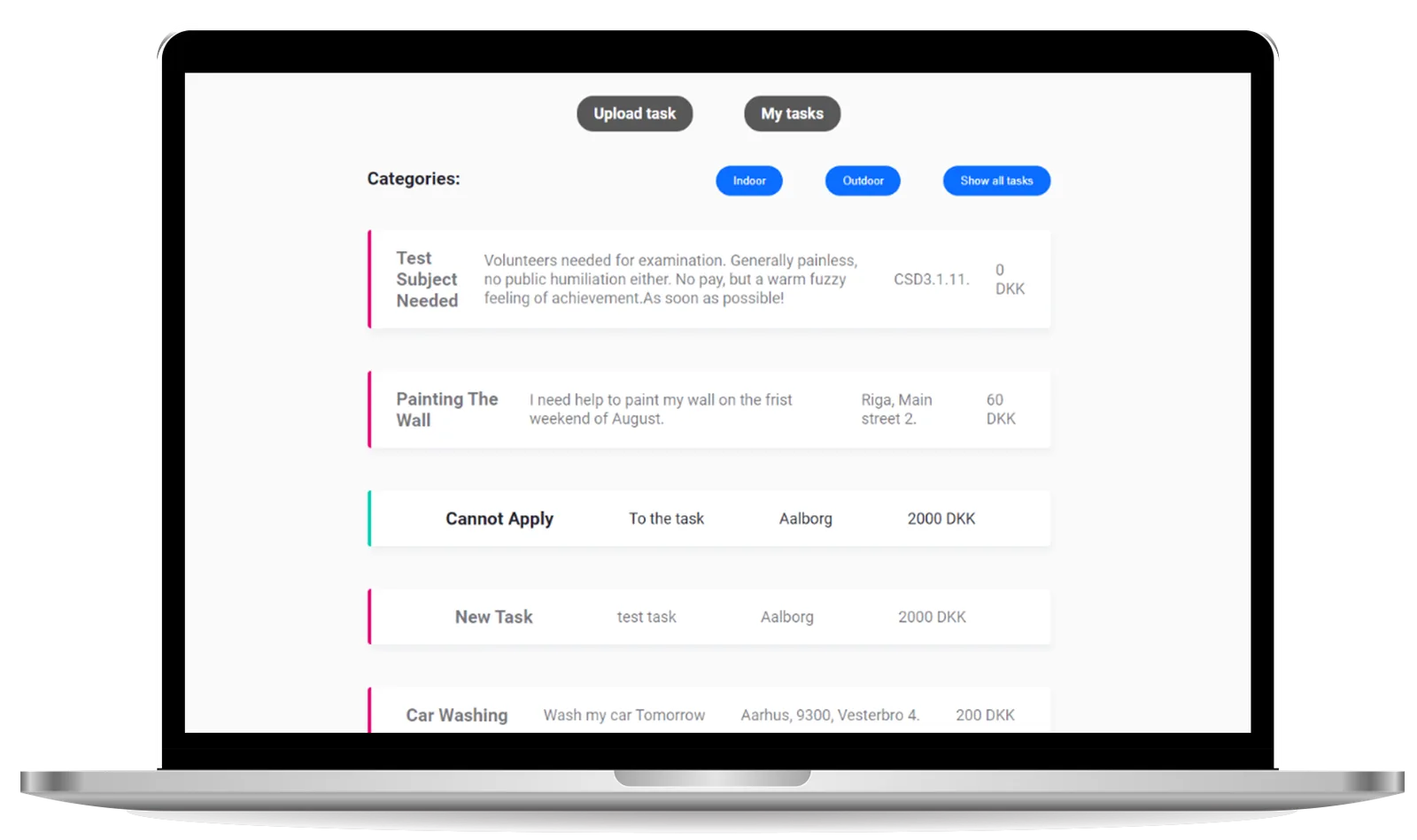
A task portal for a community to find people who can help with little chores and errands. It is a web application with its own database and three different types of users. Additional functions sit behind authorisation, such as adding and deleting tasks, and applying for a job.
- Role
- Full Stack Developer
- Tools and technologies
- JavaScript
- Node.js
- Express
- MS SQL
- HTML
- CSS
ER diagram
Entity Relationship Diagram
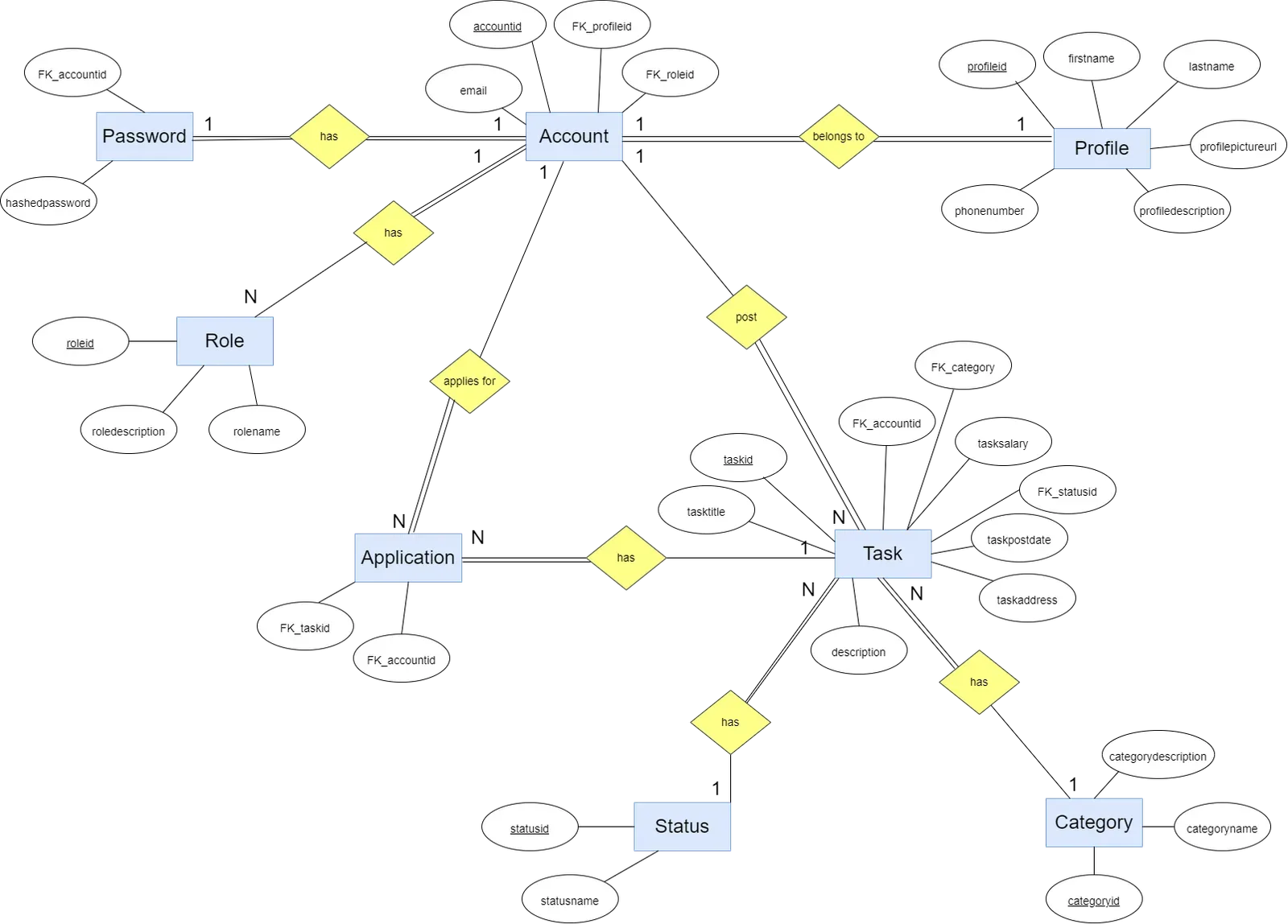
The first step in the project is to create an Entity Relationship Diagram, which is needed to create the SQL database later. The goal is to define the entities and the relationships between them. Creating the ER diagram is an iterative process: it changes a couple of times during development and is adjusted to our needs.
Our design choice is that there is no account without a profile: when an account is created, a profile is created automatically as well. Every account has a role, admin or member, with member as the default. An account can post a task, which has to be assigned to a category, indoor or outdoor. A task also has a status, to inform others whether it is still available or expired. As an extra feature, every account can apply for any task that is not their own.
 (open full size in a new tab)
Database
SQL database
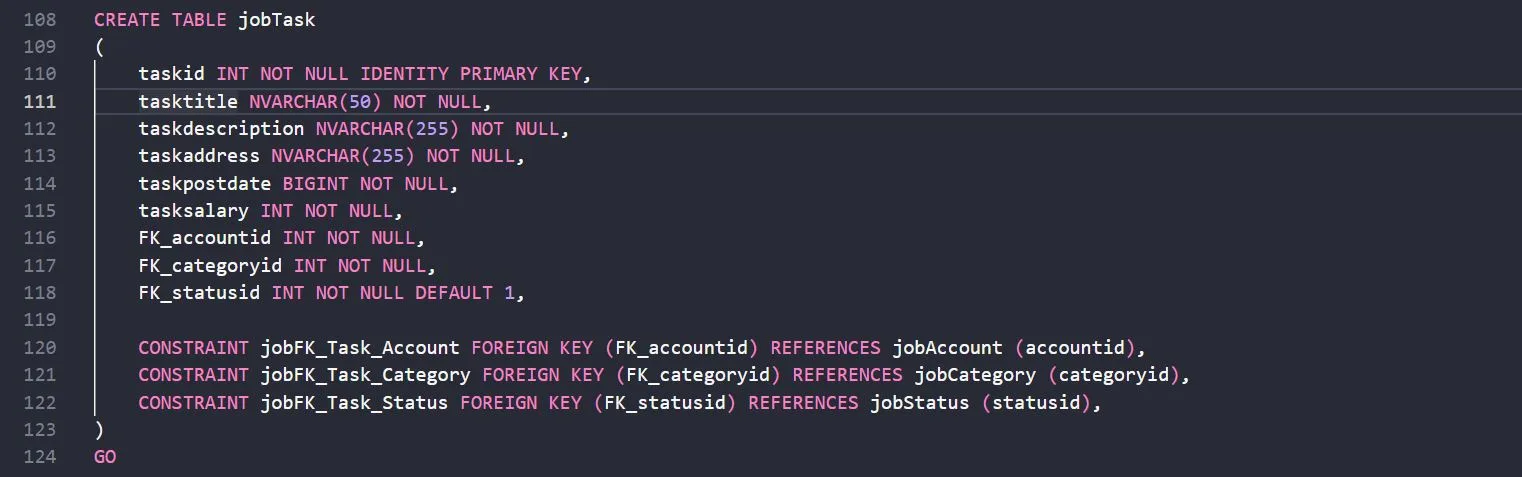
Based on the ER diagram, a SQL script is created with table definitions for all entities. Each table has its own primary key, except for the application table, which works as a lookup table between account and task. Each column has its own data type, and SQL constraints link the tables through foreign keys.
 (open full size in a new tab)
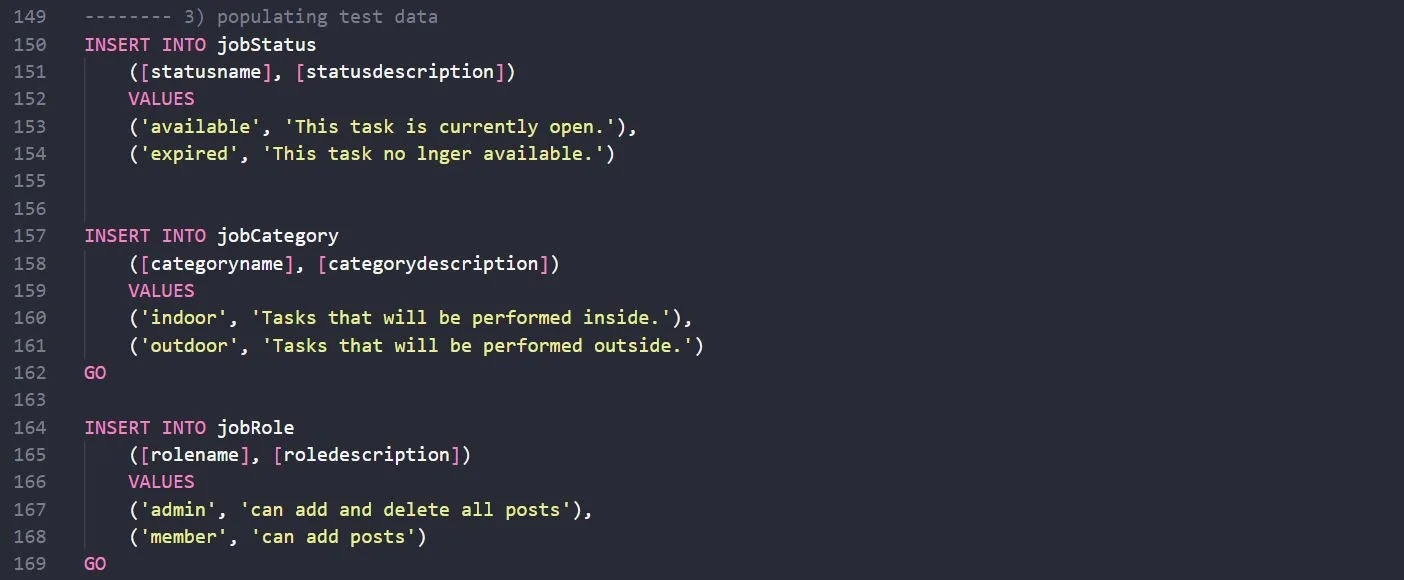
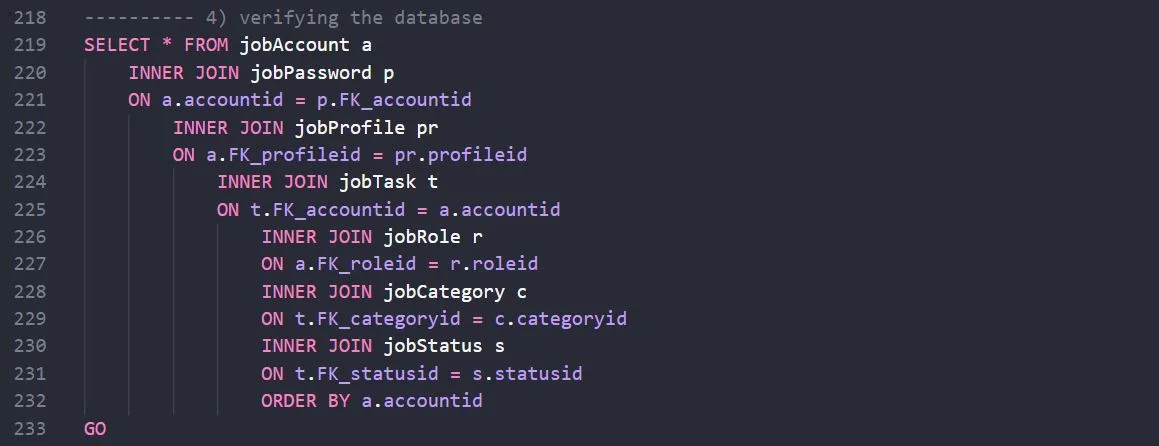
When the tables are defined, the next step is to populate test data and verify the database.
 (open full size in a new tab)
 (open full size in a new tab)
Backend
Structure
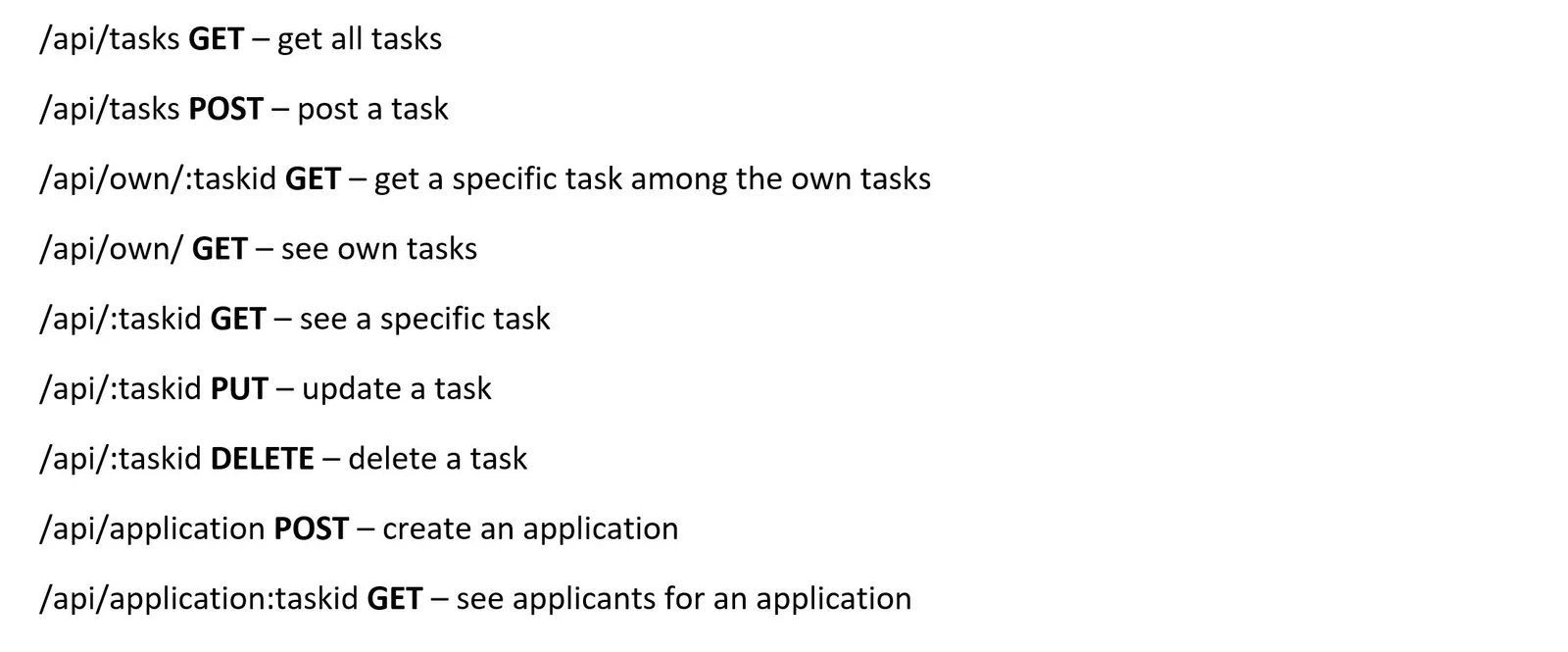
The backend is written in Node.js with the Express framework, which handles routing among other things. The project follows a RESTful architecture: to interact with the database we use CRUD operations (create, read, update and delete) and their equivalent HTTP methods. Endpoints are defined to transfer data between client and server.
 (open full size in a new tab)
Authorisation and authentication
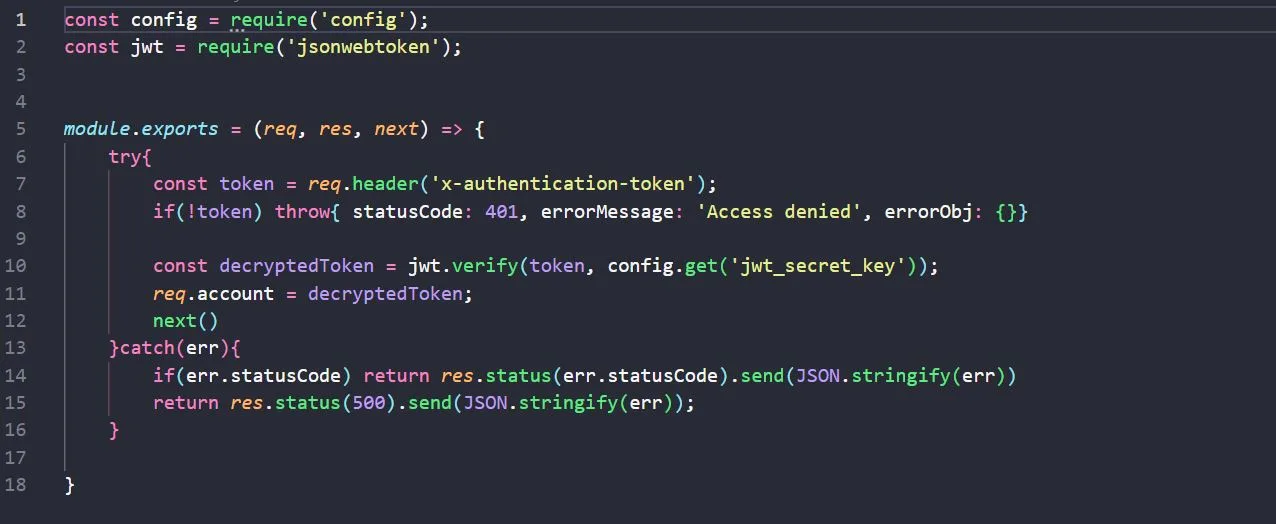
To access most functions of the portal, a user needs to be logged in. To authenticate them, the JSON Web Token is verified in authenticate.js, which is set in the request pipeline.
 (open full size in a new tab)
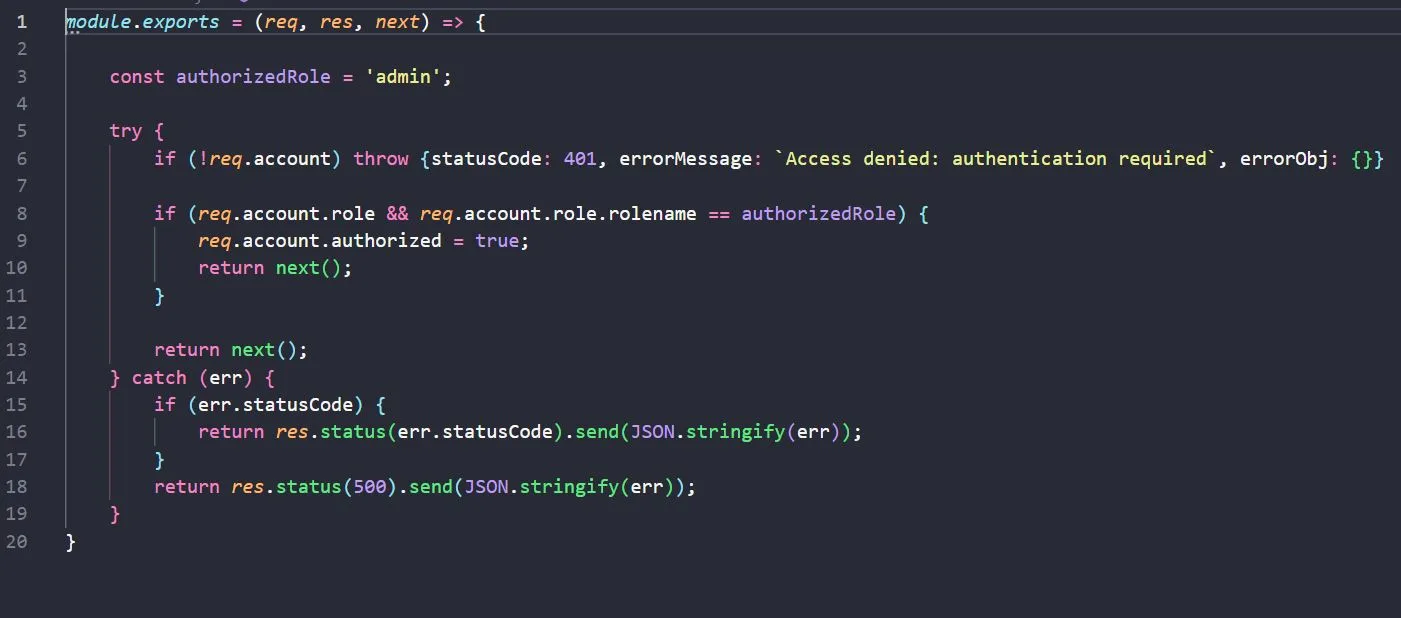
An admin can perform actions that a regular user cannot. To check whether a user has permission, the admin.js and checkauthorisation.js middlewares are also set in the request pipeline.
 (open full size in a new tab)
 (open full size in a new tab)
Connecting with the database
The project uses classes, promises and asynchronous programming. To connect with the database, we create methods that query the required data and validate the result.
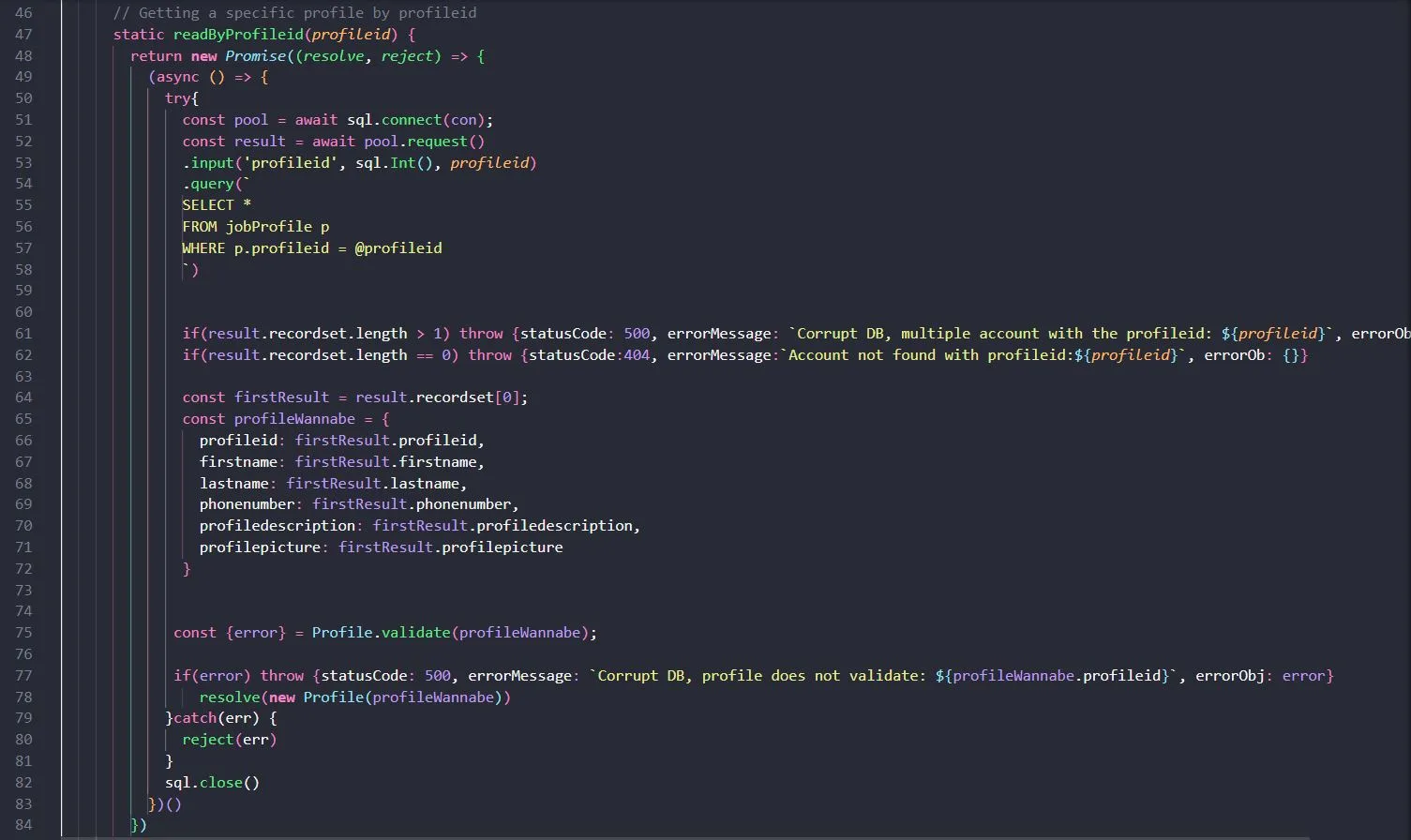 (open full size in a new tab)
Frontend
URL
To render content on the page, we check whether a certain word is included in the URL. Based on this, the right functions are called and new content is shown.
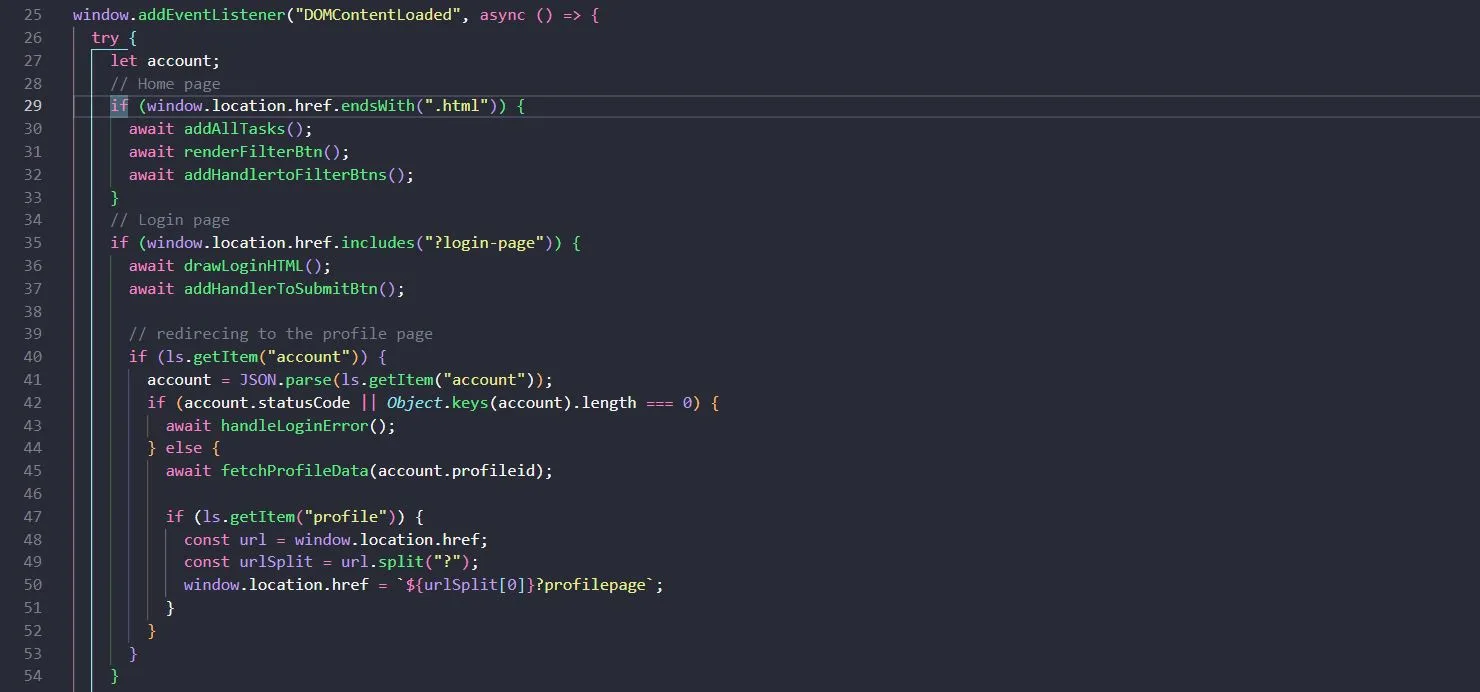 (open full size in a new tab)
Fetching the data
We use the Fetch API to access the data. Markup for the data is created and inserted into the HTML.
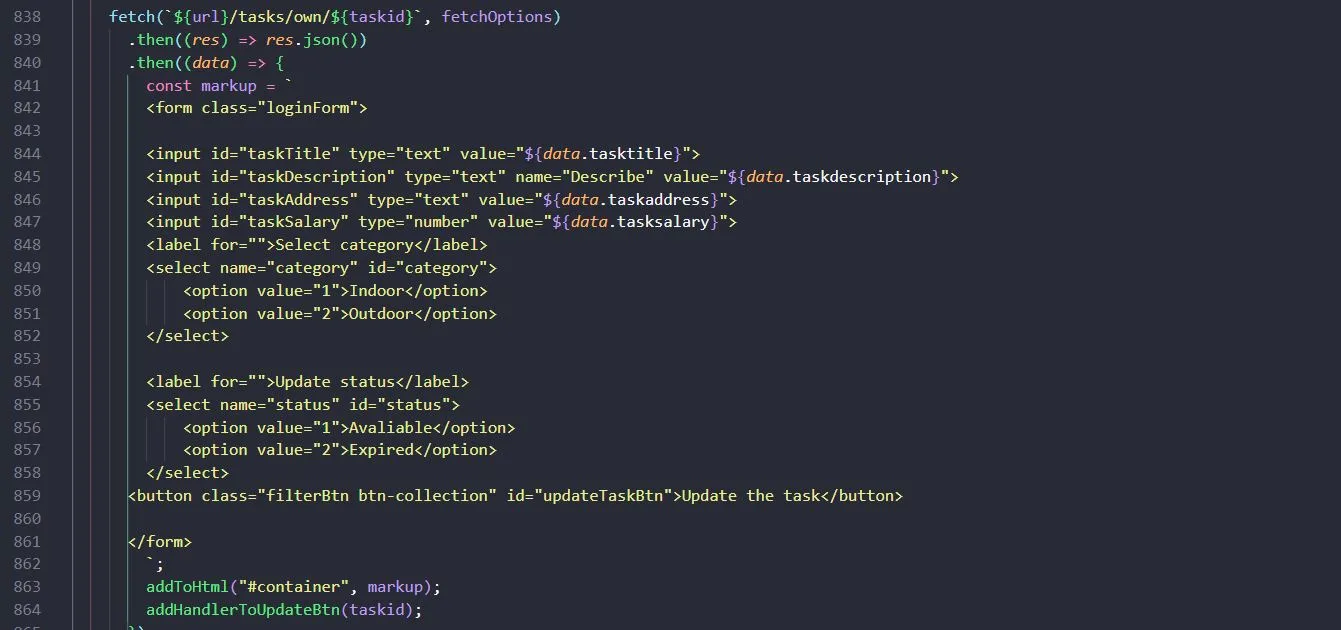 (open full size in a new tab)
JWT and session storage
To access certain parts of the application, for example the page where users see their own tasks, we check with the JSON Web Token whether they are logged in. The request is sent with the token in a header, and middleware in the backend checks it.
The token is kept in session storage, which means that when users end a page session, they have to authenticate again to log in.
 (open full size in a new tab)