Eridonna Webshop
A webshop for a Slovak jewellery store. In this project I developed a custom theme on Shopify and made it more dynamic by working with JavaScript and REST API endpoints.
- Role
- Frontend Developer
- Tools and technologies
- Shopify
- Liquid
- JavaScript
- Bootstrap
Webshop password: skaygo
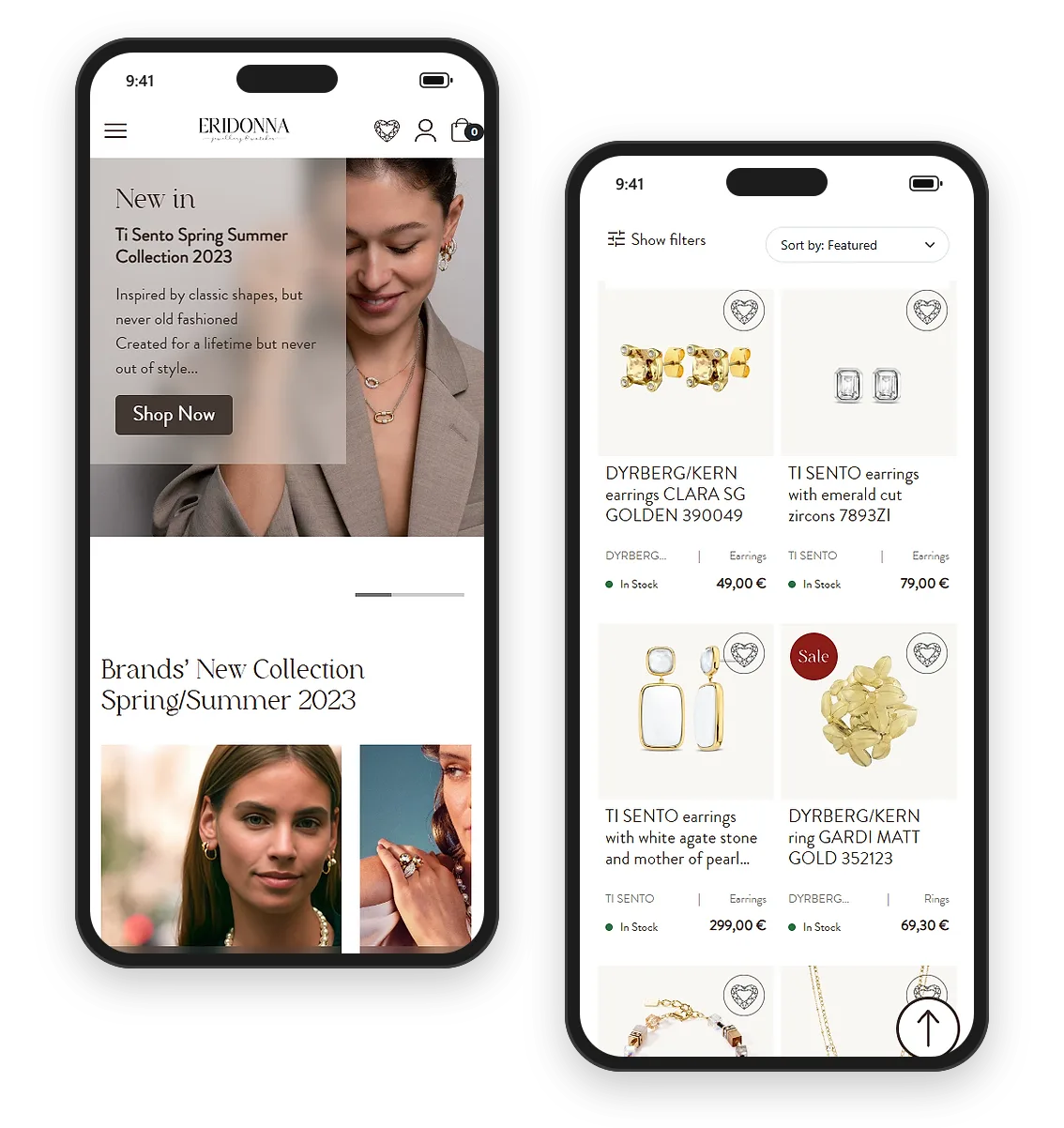
Shopify
Products
Products are added in the Shopify admin, under the products section. Apart from the title, description and images, each product gets its own category, type, vendor and tags. This makes it possible to add products to a collection automatically, depending on the conditions set for that collection.
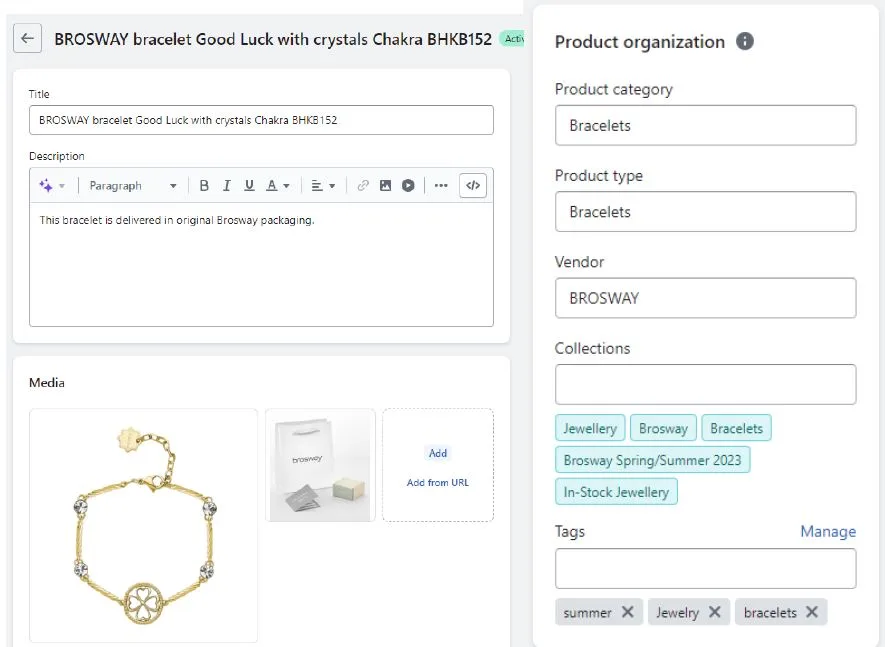 (open full size in a new tab)
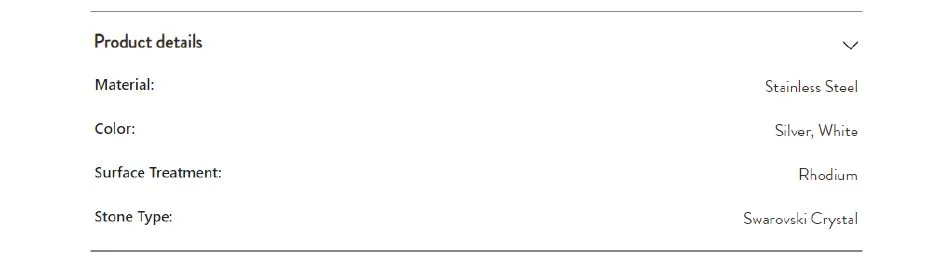
In addition to variants such as ring sizes, the project requires more specific product information, including material, surface and stone type. To meet this requirement, metafields are used to create a custom product definition and define its content type. This captures and organises the information in a structured way.
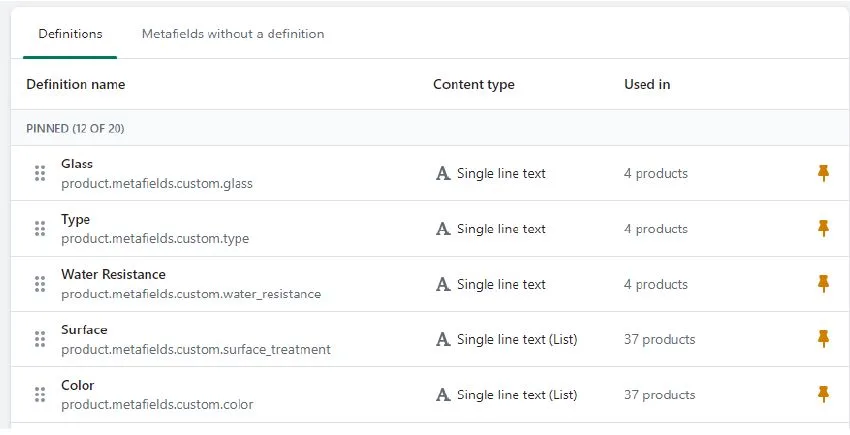 (open full size in a new tab)
Those metafields are then displayed at the bottom of the product page.
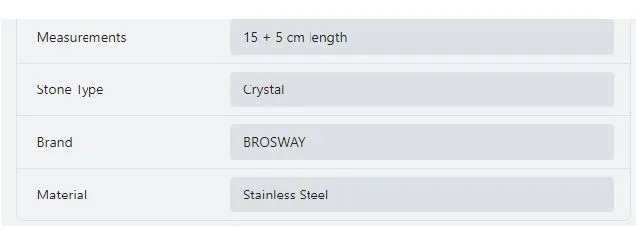 (open full size in a new tab)
Collections
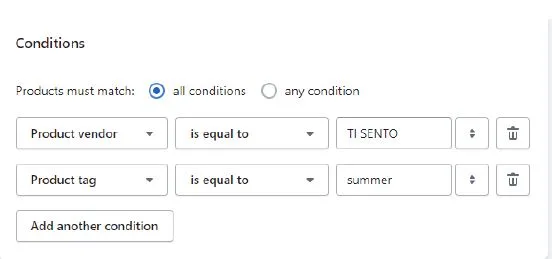
Automated collections are used in the webshop, and products are included based on specific conditions. For instance, to appear in the Ti Sento Spring/Summer collection, a product must have a “summer” tag and be associated with the vendor Ti Sento. If a product meets these criteria, it is added automatically.
 (open full size in a new tab)
Liquid
Code
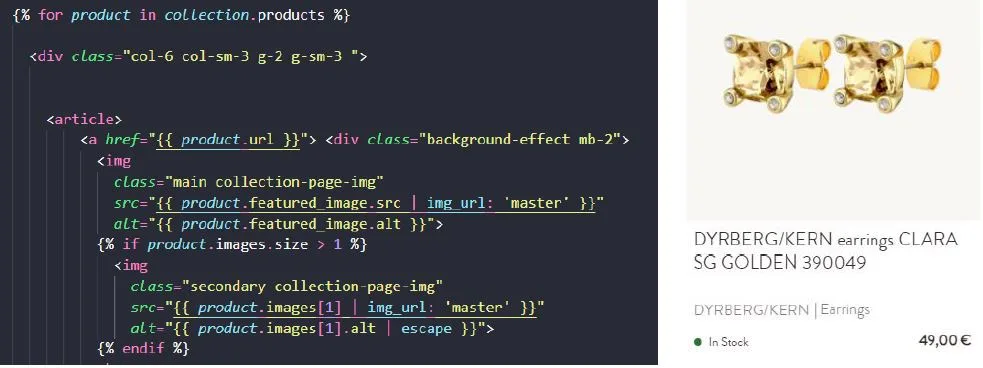
To display content on the storefront, the Liquid template language is used. With objects and filters I can target data from the store. For instance, to create product cards on the collection page, I loop through all products in a collection and use properties of the product object, such as its URL, images and price.
 (open full size in a new tab)
Custom data can be accessed in a similar way.
 (open full size in a new tab)
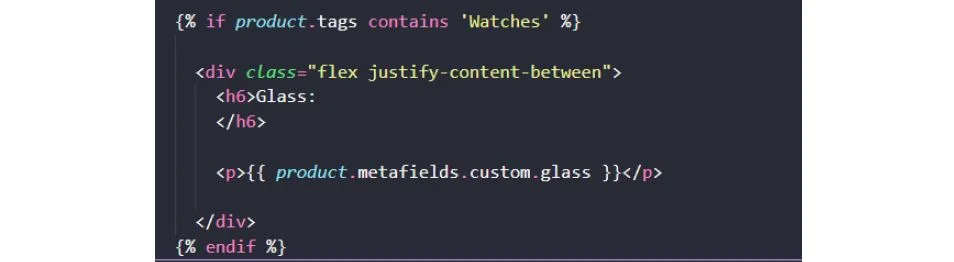
Each product page has a details section that varies depending on the product type. In the code, I check whether the product tags contain “watches”, and only then is information about the glass displayed.
 (open full size in a new tab)
Sections and schema
Within the “sections” folder of the theme, code is responsible for rendering a customisable section, thanks to its schema. The schema settings define the content type to be displayed, while blocks make it possible to create reusable content modules. In the “shop the look” example, the settings allow adding two custom images.
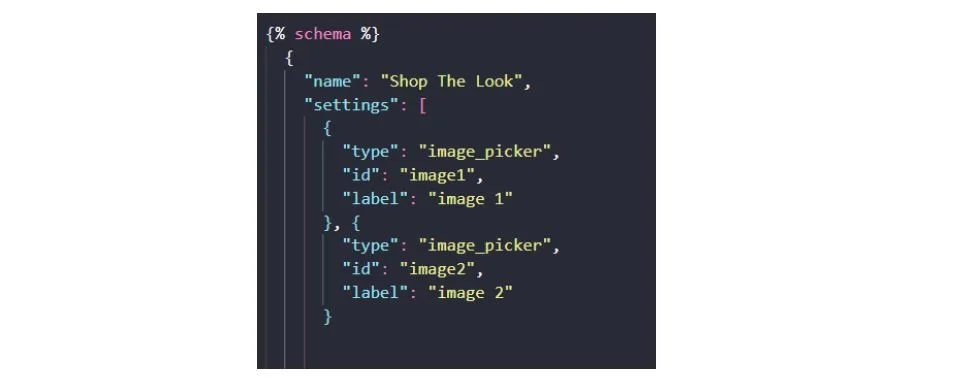 (open full size in a new tab)
Then two types of block are defined, one for each image. This gives the owner a free hand to add a number of products, depending on the image she chooses.
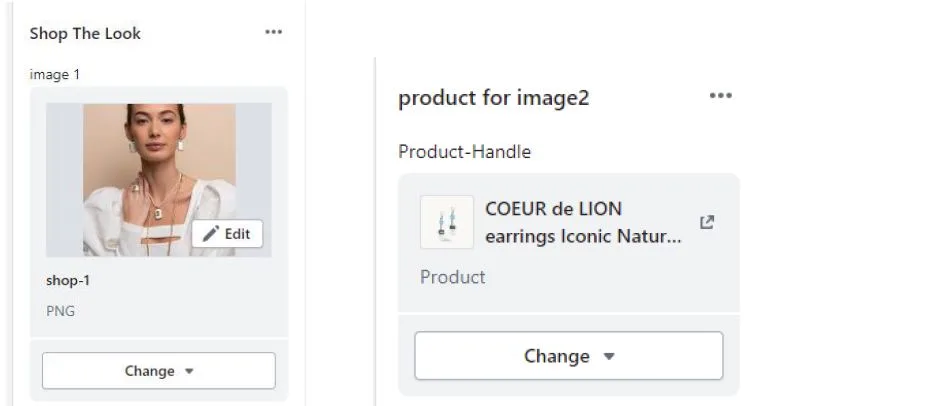 (open full size in a new tab)
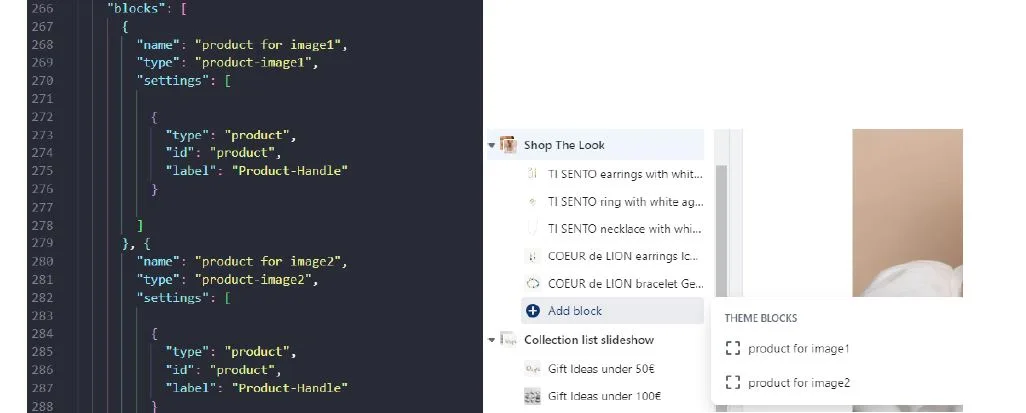 (open full size in a new tab)
To display the content, markup is added above the schema, targeting the schema settings and its blocks. Thanks to the schema, the owner can change elements of the webshop and update it with new offers.
 (open full size in a new tab)
API endpoints
Add to cart
The goal was to show an “Added to cart” popup, so users get feedback and can decide whether to continue shopping or go directly to the cart.
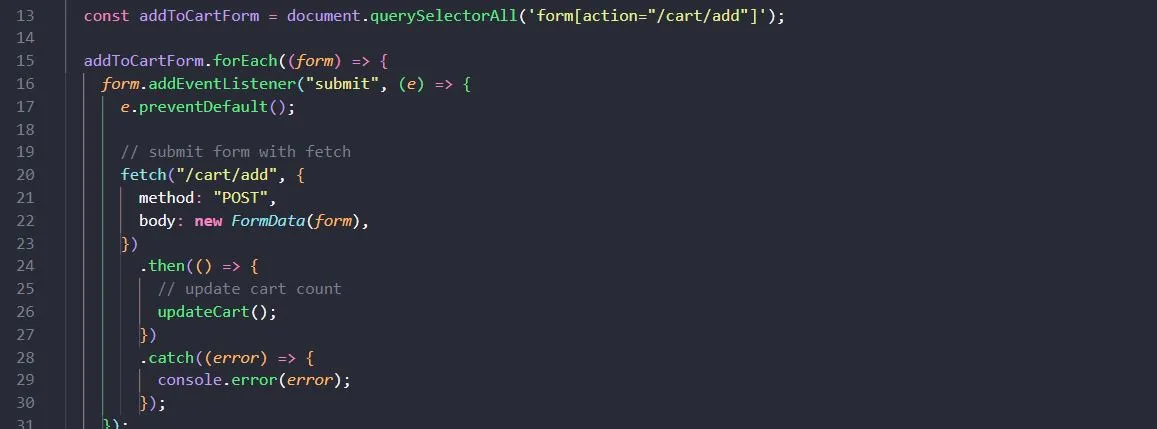 (open full size in a new tab)
Cart page
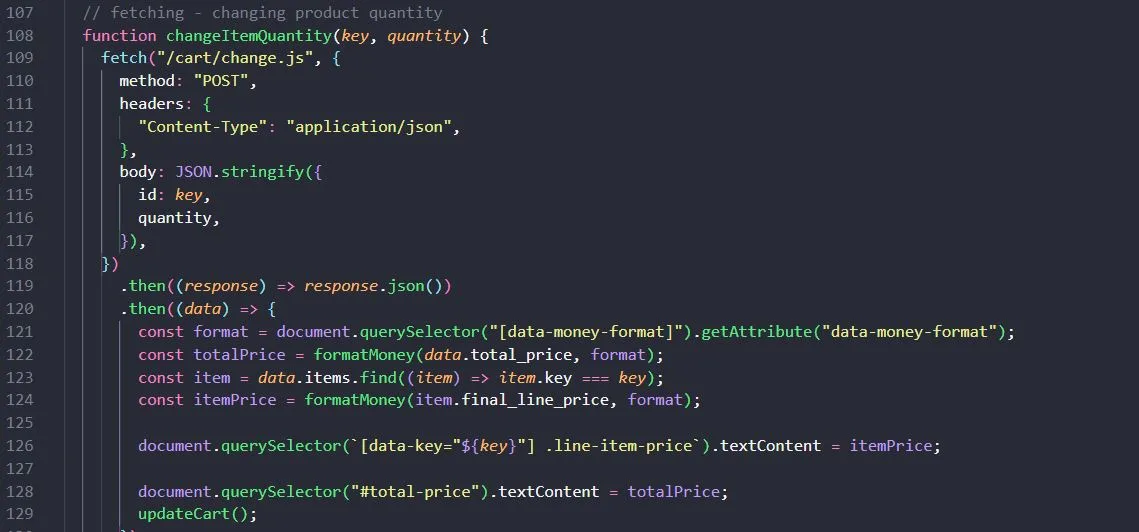
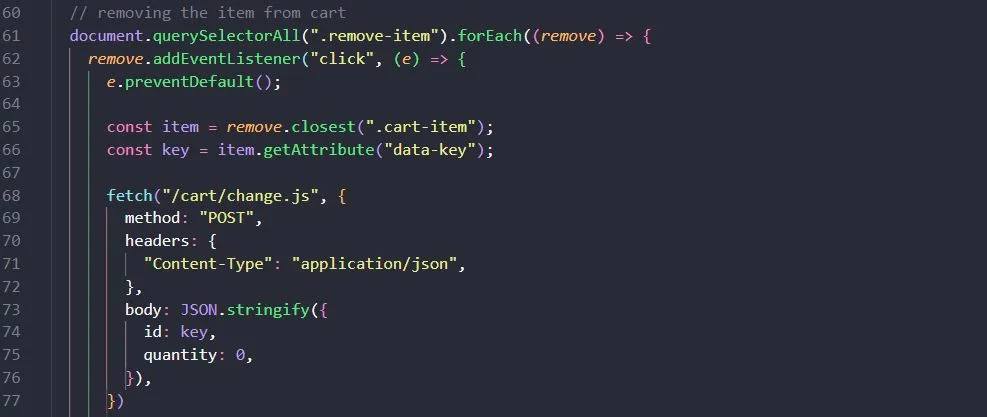
Another goal was to make the cart page more dynamic, so content changes without reloading. When a user changes the quantity of an item or removes it, the content is updated automatically.
 (open full size in a new tab)
 (open full size in a new tab)
Predictive search
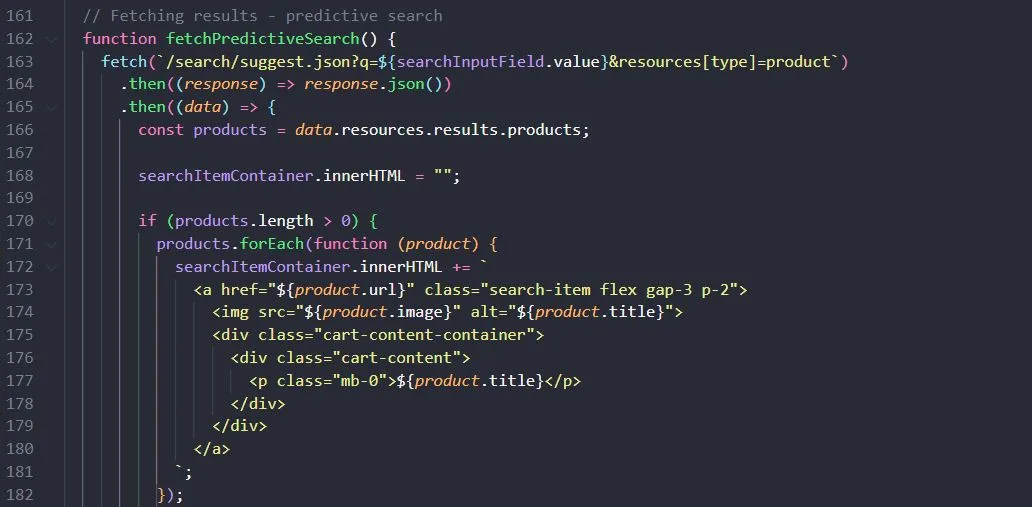
The last feature is predictive search. It is considered good practice, as it saves customers time and guides them with alternative suggestions.
 (open full size in a new tab)